Suites and runs
A suite is an ordered group of scenarios you run together. A run (cycle) executes that suite against one environment and build, recording a result per scenario. This chapter shows how to build a suite and launch a regression cycle.
After this chapter you can create a suite, start a run, record results, and read the pass-rate dashboard.
Open the Suites view
- Open Bramble Toys and select the Sign in flow.
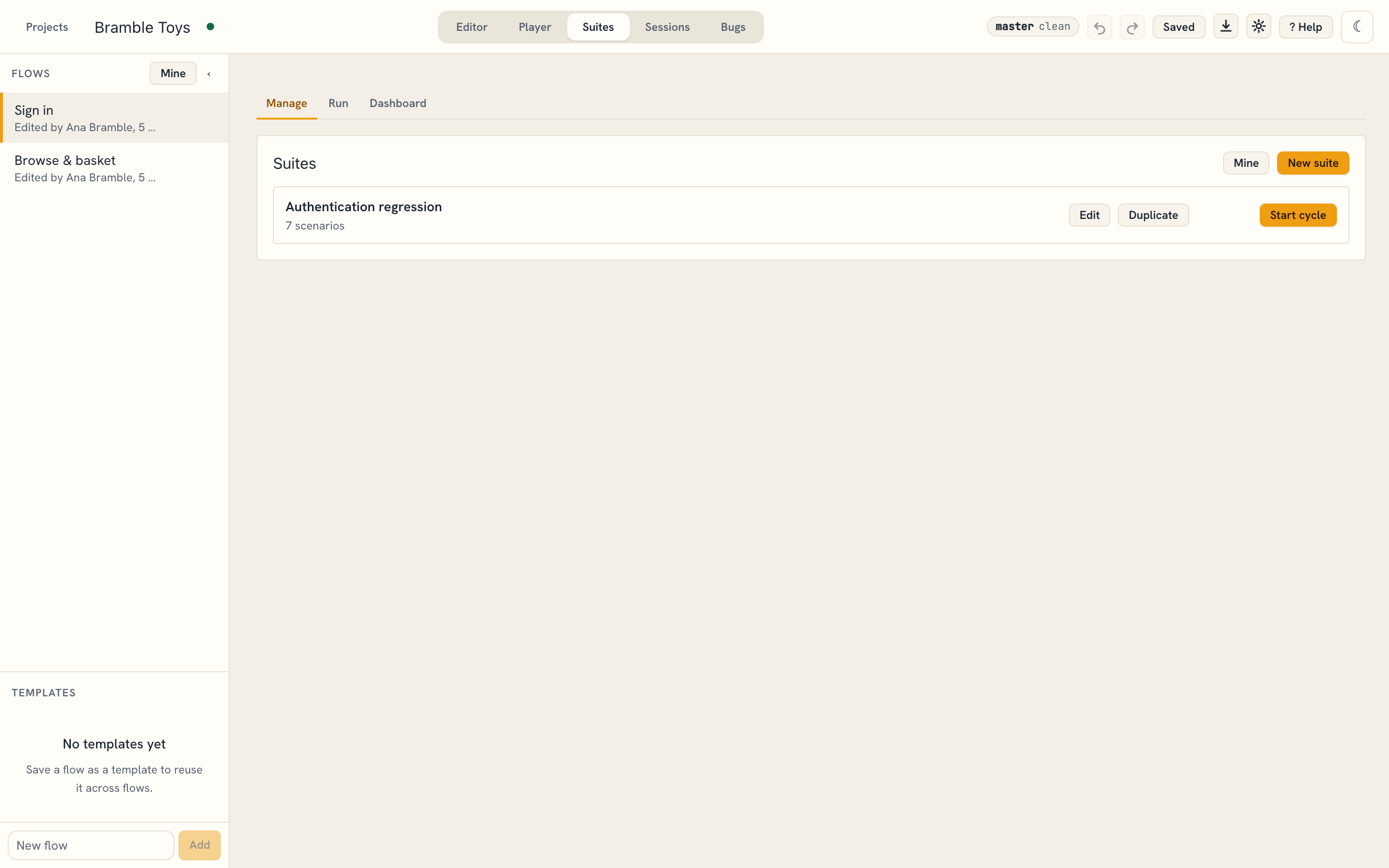
- Click the Suites tab. It has three sub-tabs: Manage, Run, and Dashboard.
The demo's Sign in flow ships one suite, Authentication regression, holding all seven Sign in scenarios.
Create a suite
- On Manage, click + New suite and name it.
- Click Edit and tick the scenarios to include; their order is the run order.
- Use Duplicate to clone a suite, or Delete to remove one. Deleting a suite also deletes its cycles.
Start cycle stays disabled until the suite holds at least one scenario.
Run a suite
- Click Start cycle on the suite (or open the Run sub-tab).
- Enter the environment (e.g.
Staging), build version (e.g.2.4.0-rc3), test date, and an optional release. - Each scenario goes to its owner, else to the suite's owner. For a suite without
an owner, Assign all to picks who gets the rest; a scenario with nobody stays
unassigned. Every scenario starts
untested. - Click Take next. It opens the next scenario assigned to you that waits for a
result (
untestedorretest), or takes the next one nobody has. When it can't run, the reason shows under the button: Flowline doesn't know your name yet (08), saving is paused, the project is the demo, or nothing is left for you. - Play the scenario through and the player records
passorfail, or click Blocked, Retest, Skipped or Reset untested. For a scenario assigned to someone else, Flowline asks "Login" is assigned to Bo. Record your result anyway? Cancel after a player run and that run is deleted; bugs you filed during it stay. - Click Finish cycle. If assigned scenarios still wait for a result, Flowline lists them with their assignees and asks Finish the cycle anyway?
Assignee above the status buttons changes who has the scenario. It lists the people in the project, everyone the Drive folder is shared with, and Someone else… for any email (08). Mine narrows the list to scenarios assigned to you; it is hidden until Flowline knows your name.
Results (n) under a scenario lists every result recorded for it, newest first, with who recorded it and when. A result is never replaced: Retest sends the scenario back to be run again, and its next result is added.
Several testers can run one cycle at once: 08.
Read the dashboard
The Dashboard sub-tab summarises the latest cycle and trends over builds.
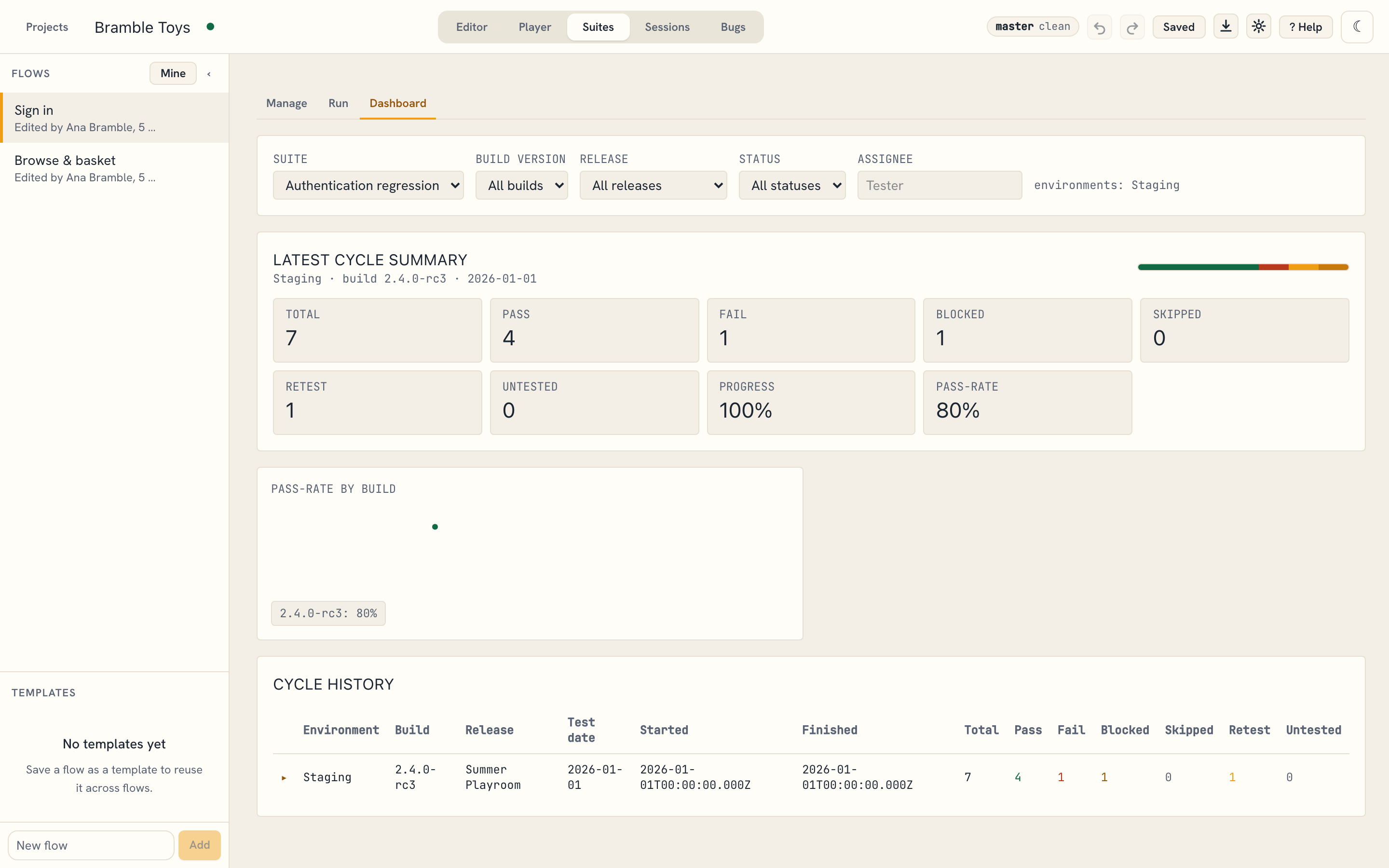
The demo's recorded cycle (Staging · build 2.4.0-rc3 · release Summer Playroom)
shows the full regression loop: 7 scenarios — 4 pass, 1 fail, 1
blocked, 1 retest — an 80% pass-rate. Filters at the top narrow by build,
release, status, or assignee, and Cycle history lists every past run with its
counts.
A failing scenario is where a bug comes from — see the next chapter.